Digital Signage Platforms: Features, Benefits, and How to Choose the Right One
Digital Signage Platforms: Features, Benefits, and How to Choose the Right One
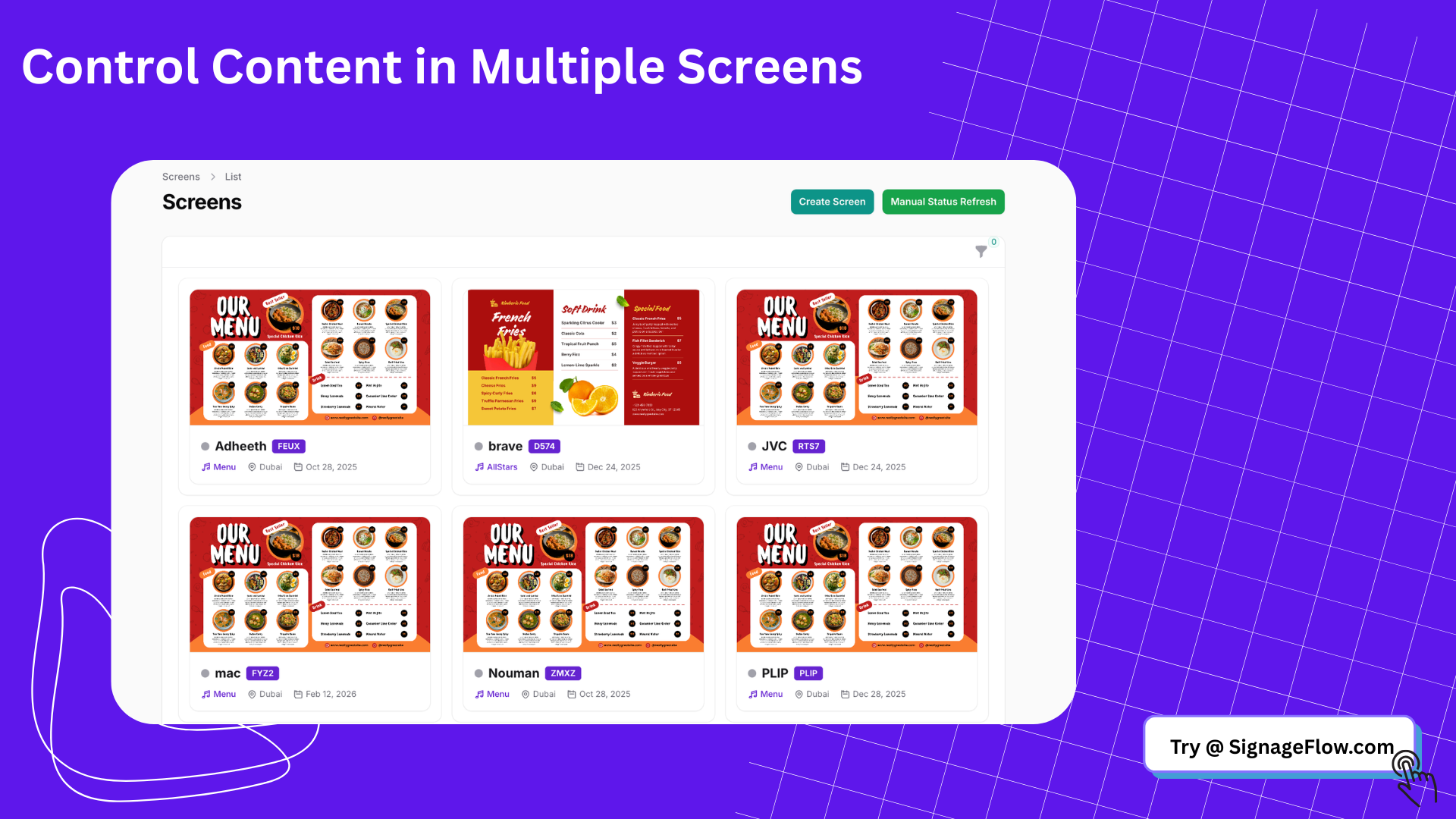
Digital signage platforms have become the operating system behind modern in-store displays, office communication screens, restaurant menu boards, and multi-location content networks. Instead of updating screens manually one by one, businesses now use digital signage platforms to control content, schedules, layouts, and device status from a single dashboard.
That shift matters because screen networks are no longer small. A business might need to manage one lobby display today and fifty branch screens six months later. Without the right platform, content updates become inconsistent, time-consuming, and difficult to scale. With the right system, teams can publish updates in minutes, keep branding consistent, and monitor everything centrally.
SignageFlow is part of this new generation of digital signage software built for businesses that want simpler screen management, faster publishing, and better control across locations. Whether you are evaluating your first setup or replacing a patchwork solution, understanding how digital signage platforms work will help you choose a system that actually supports growth.
What are digital signage platforms?
Digital signage platforms are software systems that let businesses create, schedule, publish, and manage content across digital screens. In most cases, the platform includes a content management system, device management tools, playlist scheduling, screen monitoring, and user permissions.
A typical setup looks like this:
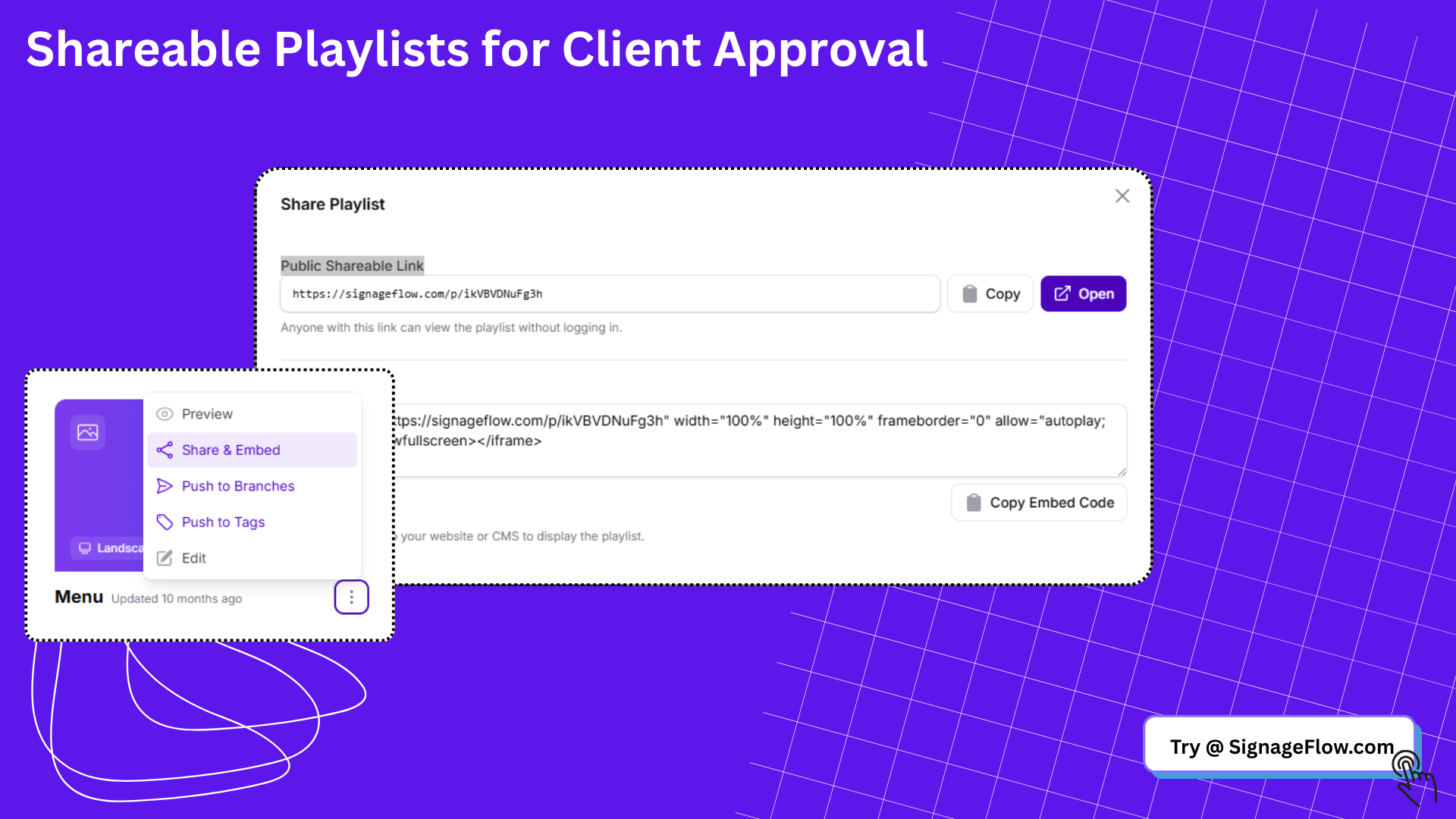
A team uploads content such as images, videos, announcements, dashboards, or web embeds.
The content is organized into playlists or layouts.
Schedules are assigned by location, screen, zone, or time.
Media players or browser-based screens pull the content from the platform.
Admins monitor status, playback, and updates from a central dashboard.
In simple terms, digital signage platforms help you decide what appears on a screen, where it appears, and when it goes live.
Why businesses are adopting digital signage platforms faster
The reason more companies are searching for digital signage platforms is simple: they need a better way to manage communication at scale.
Printed materials are slow to update. USB-based screen updates are hard to manage. Consumer TV tools are not built for business scheduling, remote control, or multi-user workflows. A dedicated digital signage management platform solves those problems.
Businesses adopt digital signage platforms because they help with:
Faster campaign launches
Consistent branding across branches
Centralized content control
Reduced manual screen updates
Better visibility into screen health
Easier team collaboration
More flexible scheduling by day, time, and location
For growing brands, the biggest advantage is operational efficiency. A marketing or operations team can update dozens of screens in minutes without depending on local staff at every site.
Core features to look for in digital signage platforms
Not all digital signage platforms are equally useful. Some are fine for a single screen, while others are built for real multi-location operations. When comparing options, these are the features that matter most.
1. Centralized content management
A strong platform should let you manage all screens from one place. You should be able to upload assets, build playlists, organize content libraries, and publish updates across one or many locations without friction.
This is one of the areas where platforms like SignageFlow stand out. Central management saves time and reduces the risk of outdated content staying live on screens.
2. Playlist scheduling
Scheduling is one of the most important parts of digital signage software. You need to be able to choose exactly when content appears and where it is shown.
Look for features such as:
Scheduled playlists by date and time
Dayparting for different hours of the day
Location-based publishing
Recurring schedules
Emergency or override publishing
The more locations you manage, the more valuable advanced scheduling becomes.
3. Multi-location and zone support
Businesses rarely run identical content everywhere. A restaurant chain may want one campaign nationally, another by region, and local offers by branch. A good digital signage platform should support all three.
Zone support is also important. It allows one screen to display multiple content areas, such as a promotion, weather widget, ticker, and QR code at the same time.
4. Device and screen monitoring
A screen that is offline, frozen, or showing stale content creates a poor customer experience. That is why device visibility is essential.
Look for screen monitoring features like:
Online and offline status
Last sync time
Device heartbeat or live status
Remote refresh or restart options
Error visibility by player or display
This helps teams identify problems before local staff have to report them.
5. Easy media library management
A growing screen network produces a growing content library. Your platform should make it easy to organize images, videos, branded templates, and reusable assets.
Useful capabilities include:
Folder organization
Search and filtering
Asset previews
Reusable playlists
Storage visibility
Shared access for teams
6. Role-based permissions
As teams expand, not everyone should have full publishing control. A digital signage CMS should support admin roles, editor roles, and location-specific access.
This is especially important for franchise groups, enterprise teams, schools, hospitals, and organizations with multiple stakeholders.
7. Browser-based compatibility
Many businesses want digital signage that runs in a browser on smart TVs, mini PCs, or connected displays without heavy hardware dependencies. Browser-based compatibility can simplify deployment and reduce upfront cost.
If your business is looking for a lightweight rollout path, this can be a major advantage.
8. Real-time updates
Modern digital signage platforms should not feel slow. Businesses expect updates to go live quickly, especially for menus, promotions, internal announcements, and urgent messages.
Platforms that support near real-time updates, live sync, or WebSocket-based refresh behavior can make screen networks far more responsive.
What makes a great digital signage platform?
A great digital signage platform does more than publish content. It reduces operational overhead.
The best systems are easy to use for non-technical teams, flexible enough for multi-location businesses, and reliable enough for daily business communication. They make it easy to launch content, keep it up to date, and trust that every screen is showing what it should.
A platform becomes especially valuable when it helps unify marketing, operations, and IT. That is where businesses begin to see the real return on investment.
Who should use digital signage platforms?
Digital signage platforms are useful across many industries, but they are especially valuable for organizations that manage repeated communication across screens.
Common use cases include:
Retail stores promoting offers and product campaigns
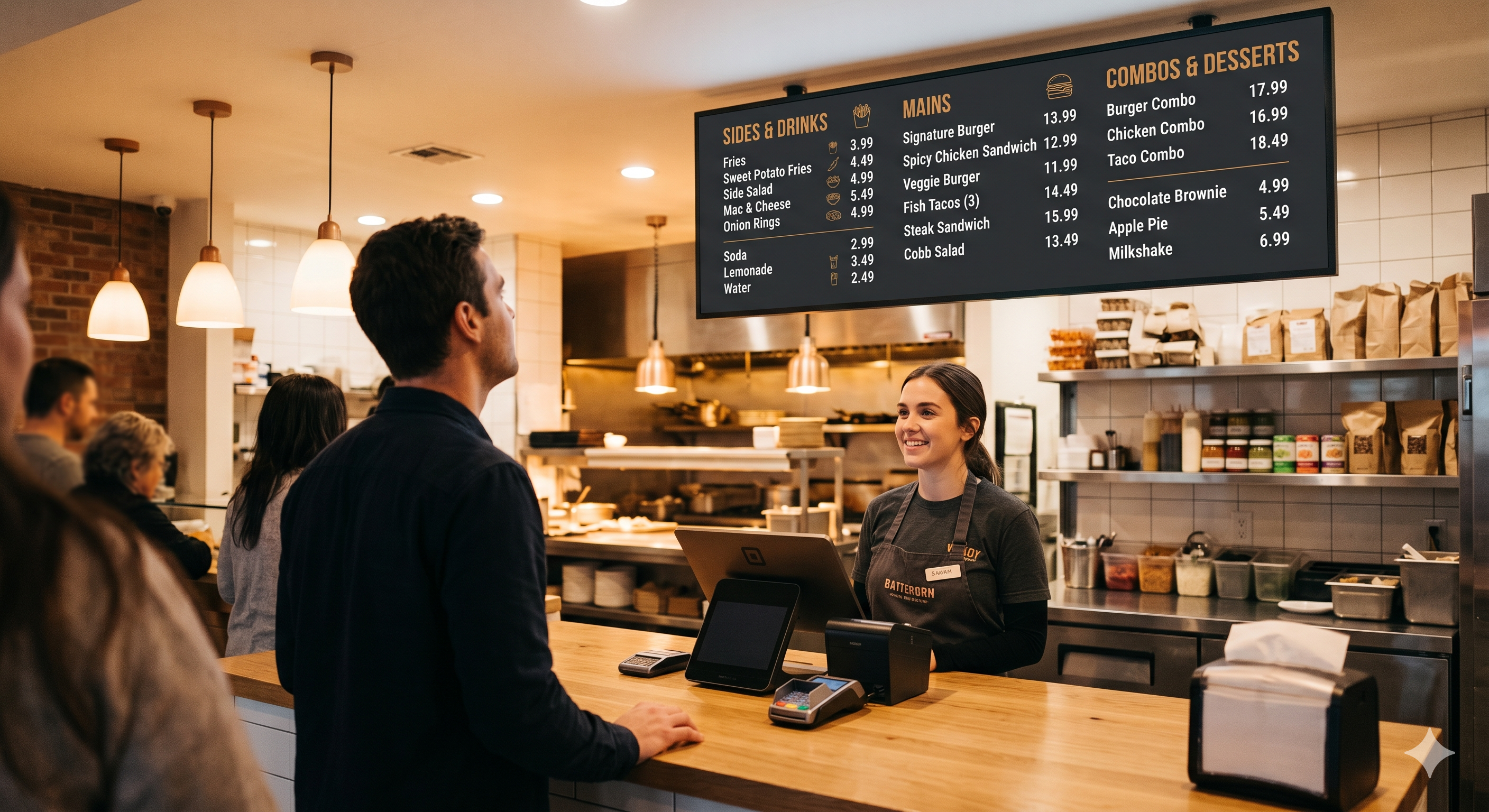
Restaurants managing menu boards and seasonal promotions
Offices sharing announcements and KPI dashboards
Clinics and healthcare spaces displaying wait information and wayfinding
Schools and campuses showing notices and event schedules
Gyms, hotels, and event venues running branded screen content
If your team updates more than one screen or more than one location, a centralized digital signage platform quickly becomes worthwhile.
Digital signage platforms vs basic screen casting tools
This is a common point of confusion. Screen casting tools and USB playback can display content, but they are not digital signage platforms.
Here is the practical difference:
Feature | Basic screen tools | Digital signage platforms |
|---|---|---|
Central dashboard | Limited or none | Yes |
Scheduling | Basic | Advanced |
Multi-location control | Weak | Strong |
Role permissions | Rare | Common |
Monitoring | Minimal | Built in |
Playlists and zones | Limited | Standard |
Scale across branches | Difficult | Designed for it |
If a business wants reliable, repeatable, centrally managed screen communication, it needs a real digital signage management platform rather than a workaround.
How to choose the right digital signage platform
Choosing among digital signage platforms should be based on your operating model, not just feature lists. A platform that works for one office TV may fail in a restaurant chain or retail rollout.
Use this checklist when evaluating options.
1. Start with your screen count and growth plan
Do not choose only for today. Choose for the number of screens and locations you expect in the next 12 to 24 months.
A system that feels cheap at five screens may become frustrating at fifty.
2. Map your content workflow
Ask who creates content, who approves it, and who publishes it. Your platform should support that workflow cleanly.
If multiple departments need access, permissions matter.
3. Review scheduling depth
If your content changes by time, region, branch, or campaign, you need strong scheduling controls. This is a major differentiator between entry-level tools and more capable platforms like SignageFlow.
4. Check hardware flexibility
Some businesses want dedicated players. Others want to run screens in a browser. Make sure the platform supports your preferred rollout model.
5. Look at monitoring and reliability
A platform should help you know whether screens are online, synced, and current. If you cannot see device status easily, support becomes reactive instead of proactive.
6. Compare pricing transparency
Make sure pricing is clear around screens, branches, storage, and user access. Hidden limits often become a problem as the network grows.
Why centralized management matters
One of the biggest reasons businesses move toward modern digital signage platforms is centralization.
Without centralized control:
Local teams may forget updates
Promotions stay live too long
Branding becomes inconsistent
Troubleshooting takes longer
Scaling becomes messy
With centralized digital signage management:
Content can be updated from one dashboard
Branches stay aligned
Teams move faster
Screen networks are easier to monitor
Expansion becomes simpler
This is especially important for multi-location businesses. Centralization is not just an IT preference. It is an operational advantage.
Where SignageFlow fits in
SignageFlow is designed for businesses that want a simpler way to manage digital screens across locations. It focuses on the practical parts of digital signage that matter most in day-to-day operations: publishing content quickly, organizing playlists, scheduling updates, and keeping visibility across screens.
For teams comparing digital signage platforms, SignageFlow is particularly relevant when the priority is:
Centralized control across branches
Simple playlist and schedule management
Browser-based screen operation
Multi-screen visibility
A cleaner, lighter workflow for growing businesses
That makes it a strong fit for businesses that want the benefits of digital signage software without unnecessary complexity.
Common mistakes when choosing digital signage platforms
Many buyers focus too much on surface-level features and not enough on long-term workflow. These are the most common mistakes.
Choosing based only on price
Low-cost tools can become expensive if they create more manual work, weak scheduling, or poor visibility.
Ignoring multi-location needs
Even if you have one location today, expansion changes requirements quickly.
Overlooking permissions
As soon as multiple team members are involved, role-based access becomes important.
Underestimating content organization
A weak media library becomes harder to manage over time, especially with seasonal campaigns and multiple brands.
Forgetting device monitoring
If you cannot tell when a screen is offline, your team will only learn about problems after someone notices.
Benefits of using digital signage platforms long term
The long-term value of digital signage platforms goes beyond content publishing. Over time, the right system helps businesses become more consistent and more responsive.
Long-term benefits include:
Better operational control
Faster campaign execution
Lower manual workload
More consistent brand presentation
Improved local relevance by branch or region
Easier scaling across new locations
Better visibility for IT and operations teams
That is why digital signage platforms are becoming a core part of modern location-based communication.
Final thoughts
Digital signage platforms are no longer optional for businesses that want to manage screen content professionally across locations. They provide the structure, scheduling, visibility, and control that manual methods simply cannot match.
The right platform should make life easier for your team, not more complicated. It should support the way you publish content, help you scale confidently, and give you centralized control over your screen network.
If your business is evaluating digital signage platforms, SignageFlow is worth considering as a modern option for streamlined screen management, playlist scheduling, and multi-location control.
FAQ
What is a digital signage platform?
A digital signage platform is software that helps businesses manage content across digital screens. It usually includes content uploads, playlist scheduling, screen monitoring, publishing controls, and multi-location management.
How are digital signage platforms different from digital signage players?
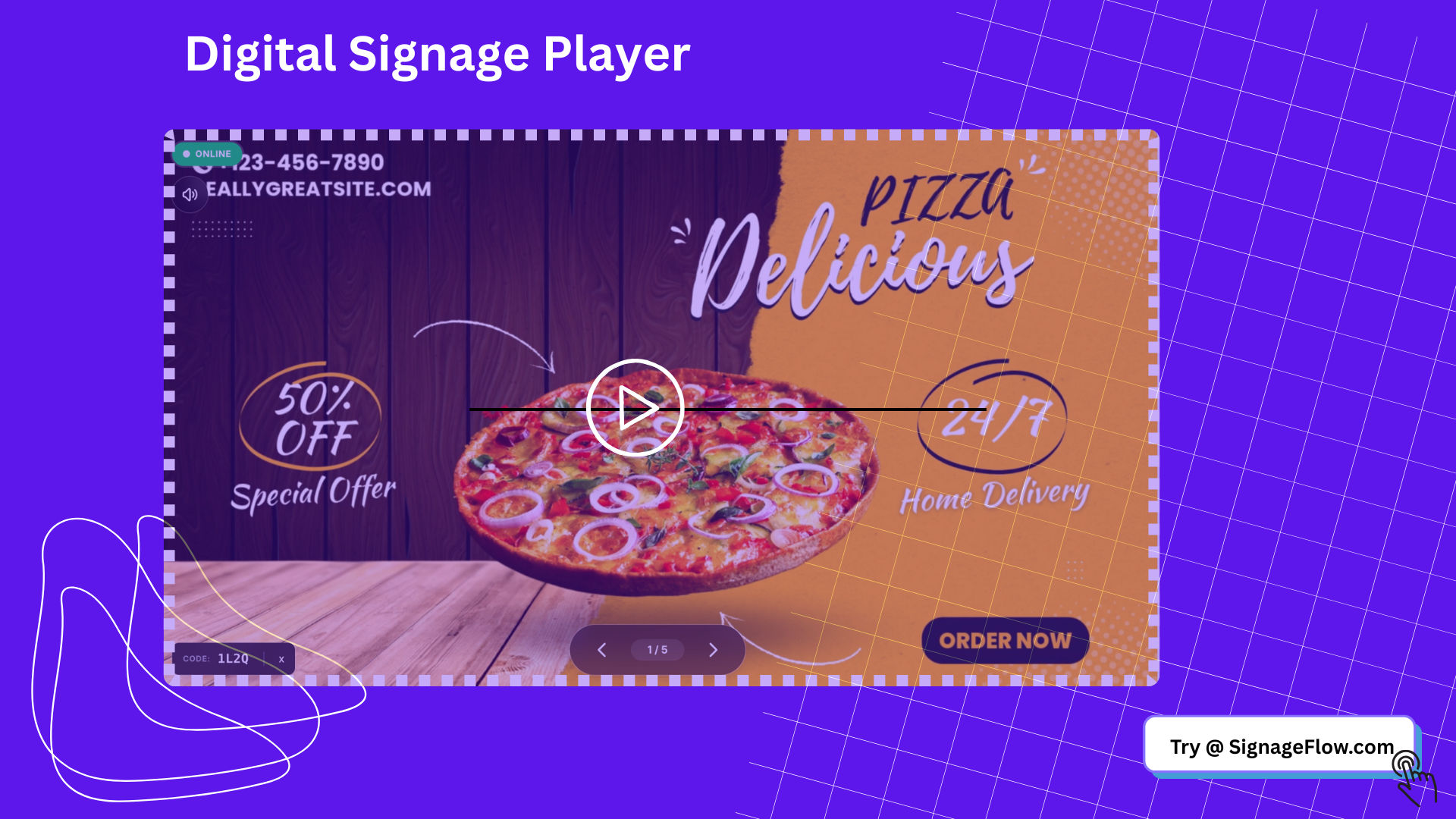
Digital signage platforms are the software layer used to manage content and devices. A digital signage player is the hardware or playback endpoint that displays content on the screen.
Who needs digital signage platforms?
Retail chains, restaurants, offices, schools, healthcare providers, hotels, gyms, and any business managing multiple screens or locations can benefit from digital signage platforms.
Are cloud digital signage platforms better for multi-location businesses?
In many cases, yes. Cloud digital signage platforms make it easier to update content remotely, manage multiple branches, monitor screen status, and keep content consistent.
Can SignageFlow be used for centralized screen management?
Yes. SignageFlow is designed to help businesses manage screens, playlists, schedules, and updates from a centralized dashboard.
What features should I prioritize when comparing digital signage platforms?
Focus on centralized management, scheduling, multi-location support, media library organization, device monitoring, permissions, and hardware flexibility.
Do digital signage platforms require special hardware?
Not always. Some platforms work with dedicated media players, while others can run in a browser on compatible smart TVs or web-connected displays.